Thesis — Cross-platform e-commerce development: a case study based on Flutter
✅ Completed
Bachelor's thesis project exploring the development of a cross-platform e-commerce system using Flutter. It includes two variants: a single-vendor focused on accessibility, usability, and multi-language support via i18n; and a multi-vendor with separate mobile app logins (for customers and sellers) and a web dashboard for the manager. The modular architecture, separation of concerns, and cross-platform support demonstrate how Flutter can be used in complex professional contexts, with a scalable and well-organized codebase.
Tech stack
Type
Category
Platform
Download
 Thesis PDF downloadChecking...
 Download thesis presentationChecking...
If you want to view my thesis project, visit the GitHub page
 Github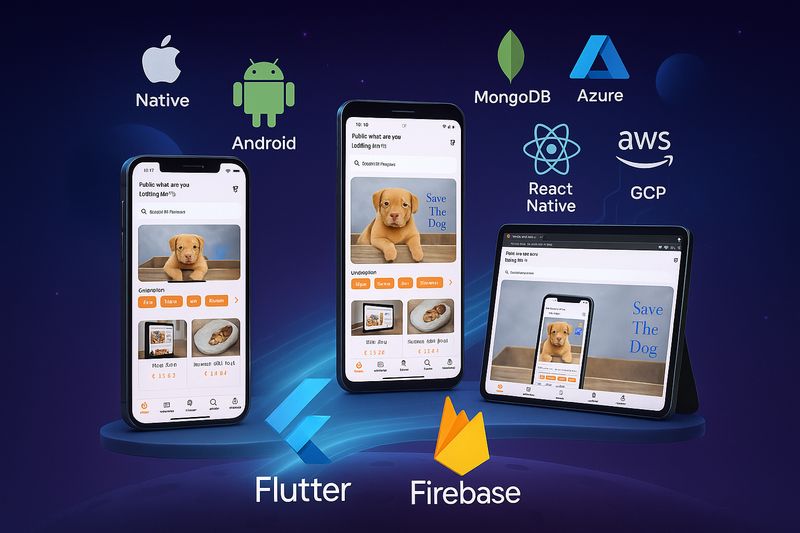
Flutter and Firebase: The Architectural Choice
The thesis opens with an in-depth analysis of the current mobile landscape, comparing the main cross-platform development technologies. It justifies the choice of Flutter, combined with Firebase, as the optimal solution to balance productivity, flexibility, and accessibility. Both case studies, while adopting an MVC architecture with Provider, benefit from Flutter's multi-platform support, with particular attention to the user experience on smartphones.
Comparative analysis • Flutter + Firebase choice • Multi-platform support
Accessibility, Usability, and Localization in Single Vendor
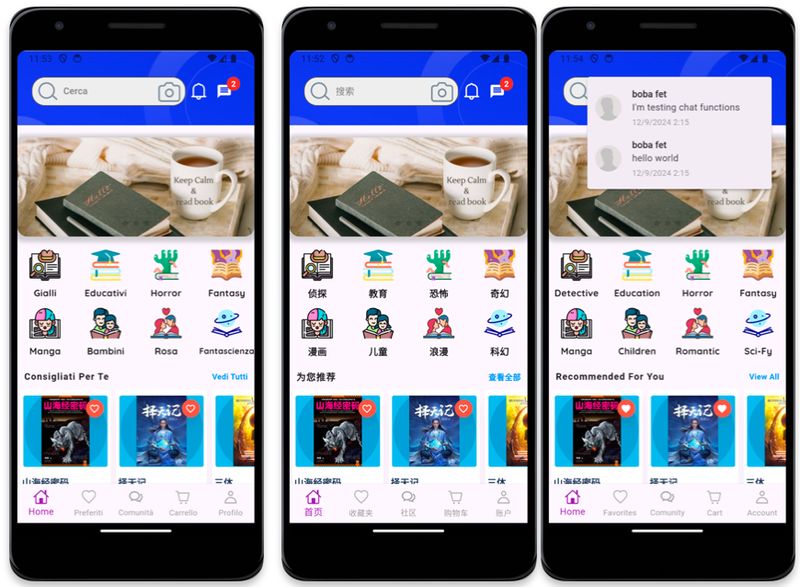
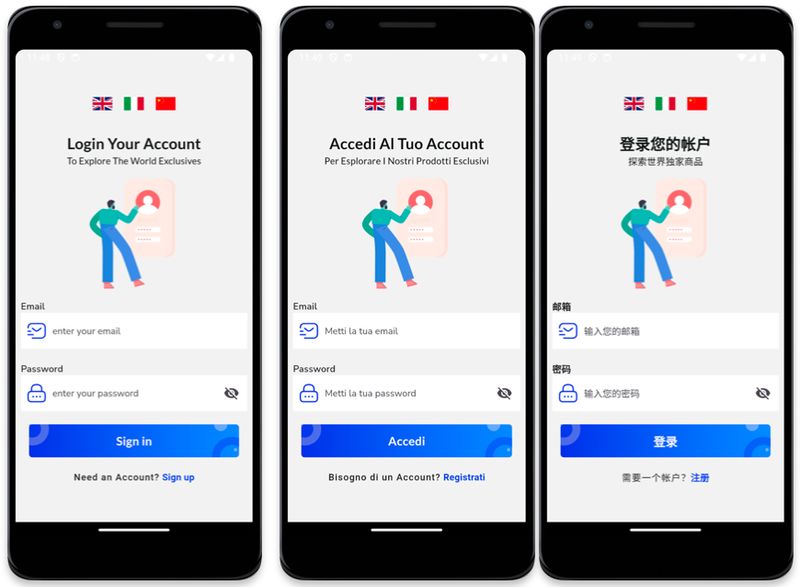
The Single Vendor app is designed with a focus on accessibility and localization, implementing multi-language support via i18n. Visual contrast, animations for states (hover, click), loading indicators, and semantic tags have been carefully considered, demonstrating how accessibility and UX are central not only for the web but also for mobile apps in real contexts.
i18n • Modern UX • Applied accessibility
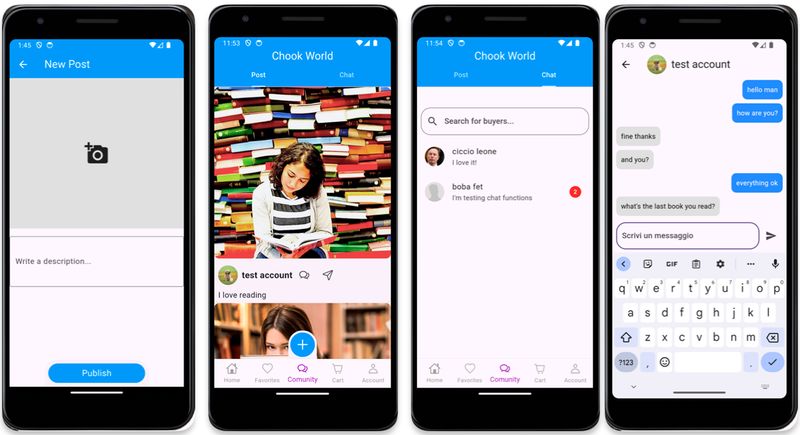
Enhanced User Experience: From Cart to Social
In addition to classic e-commerce app functionalities — such as cart, filters, orders, and favorites — the Single Vendor version introduces social elements like the ability to publish posts and interact via an internal chat, creating a more engaging and interactive environment for the user.
E-commerce + social • Public posts • Integrated chat
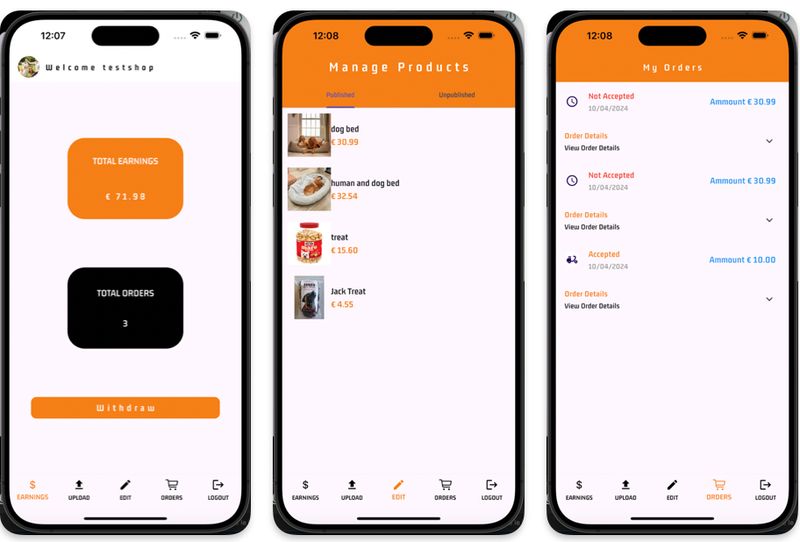
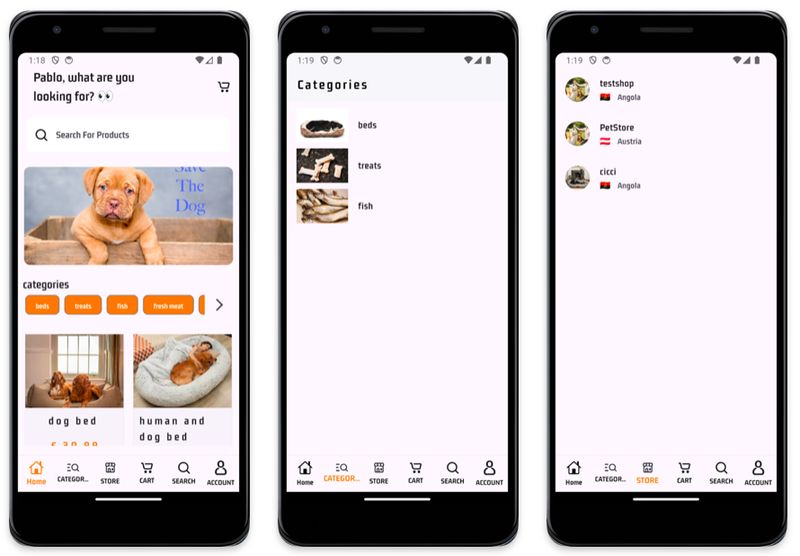
Dedicated Experiences for Customers and Sellers
The Multi Vendor app allows the user to log in as a customer or seller, offering dedicated interfaces and functionalities. Customers navigate a multi-store e-commerce with a homepage, searches, filters, categories, and stores. Sellers, on the other hand, manage products, orders, and availability with interfaces optimized for mobile productivity.
Distinct roles • Separate UX • Product and order management
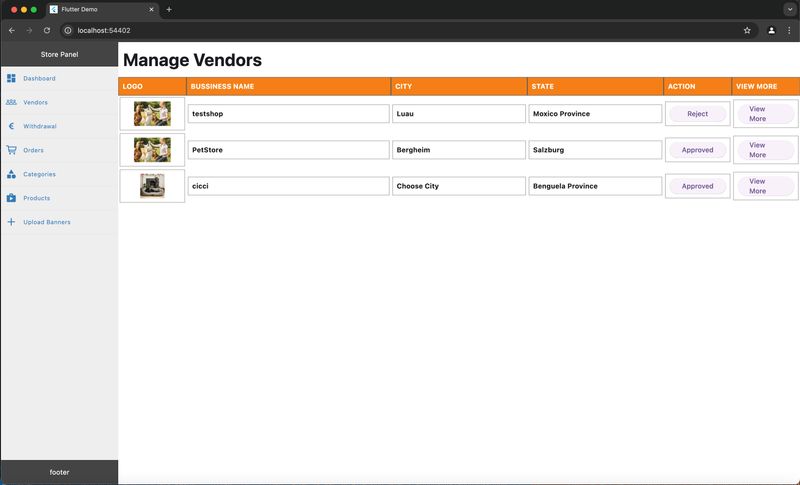
Web Dashboard for Management and Control
Both applications include a dashboard developed in Flutter Web: in the Single Vendor it is designed for the seller, while in the Multi Vendor it is intended for the platform manager. This subdivision reflects the real need for backend tools even in modern mobile solutions.
Flutter Web • Management dashboards • Visual backend
Let’s build your e-commerce together
Are you interested in creating a modern, accessible, and flexible e-commerce platform? I can help you build it with Flutter, solid architectures, and attention to user experience.